Ongoing LLM visibility tracking over time

Track your growth and the competitive landscape across all the major LLMs for only the cost of the API calls. Track your domains visibility, who else is appearing, and how the larger landscape across ChatGPT, Perplexity, Gemini, Claude, and Google AI Overviews and AI mode is evolving.

AISpy is free! But you'll need to bring your own API keys. We're not that generous!

Demo coming soon
Download Archytas AISpy for free

Monitors all major AI platforms

Automated AI visibility tracking that builds up a picture over time

Flexible Prompt Scheduling

Assign your prompts a tracking schedule-daily, weekly, or monthly. Mix and match so high-priority queries run more frequently and broader landscape checks run less often.

Ongoing Deployment

Install Archytas AISpy on a server, a cloud VM, or that spare laptop gathering dust in the corner of the office with a 'do not touch' sticker on it. Once it's running and pointed at your prompt list, it works unattended.

Data Collection

Integrated dashboards and data visualizations track performance over time, while scheduled exports can integrate that data into your wider reporting pipeline. Track AI performance growth across your prompts, shifts in the competitive landscape, and the language LLMs are producing in general.

Archytas AISpy in Action

Scheduled AI Visibility Tracking on Mac, PC, Linux and Server

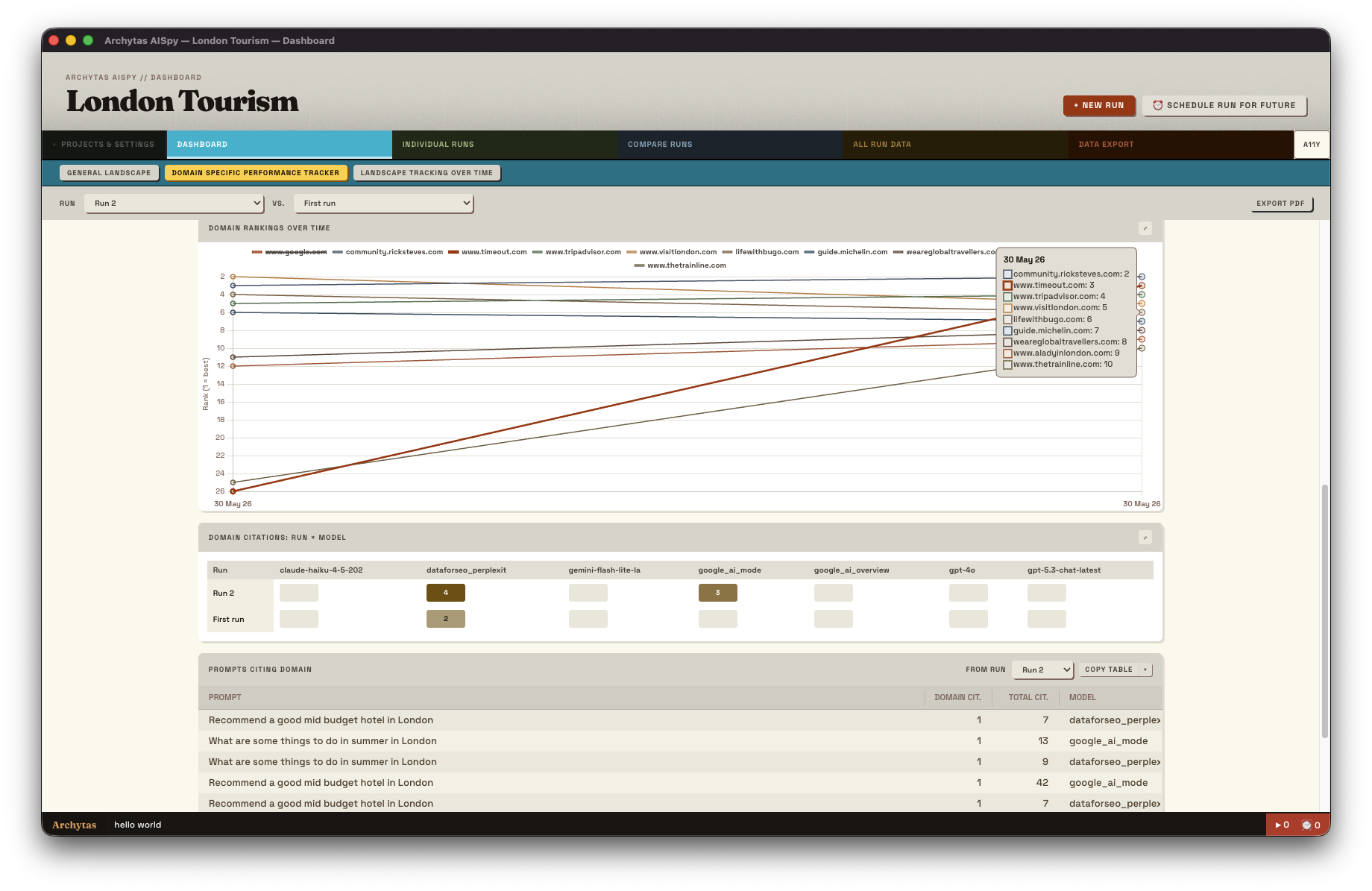
Domain Ranking Over Time

Domain Ranking Over Time

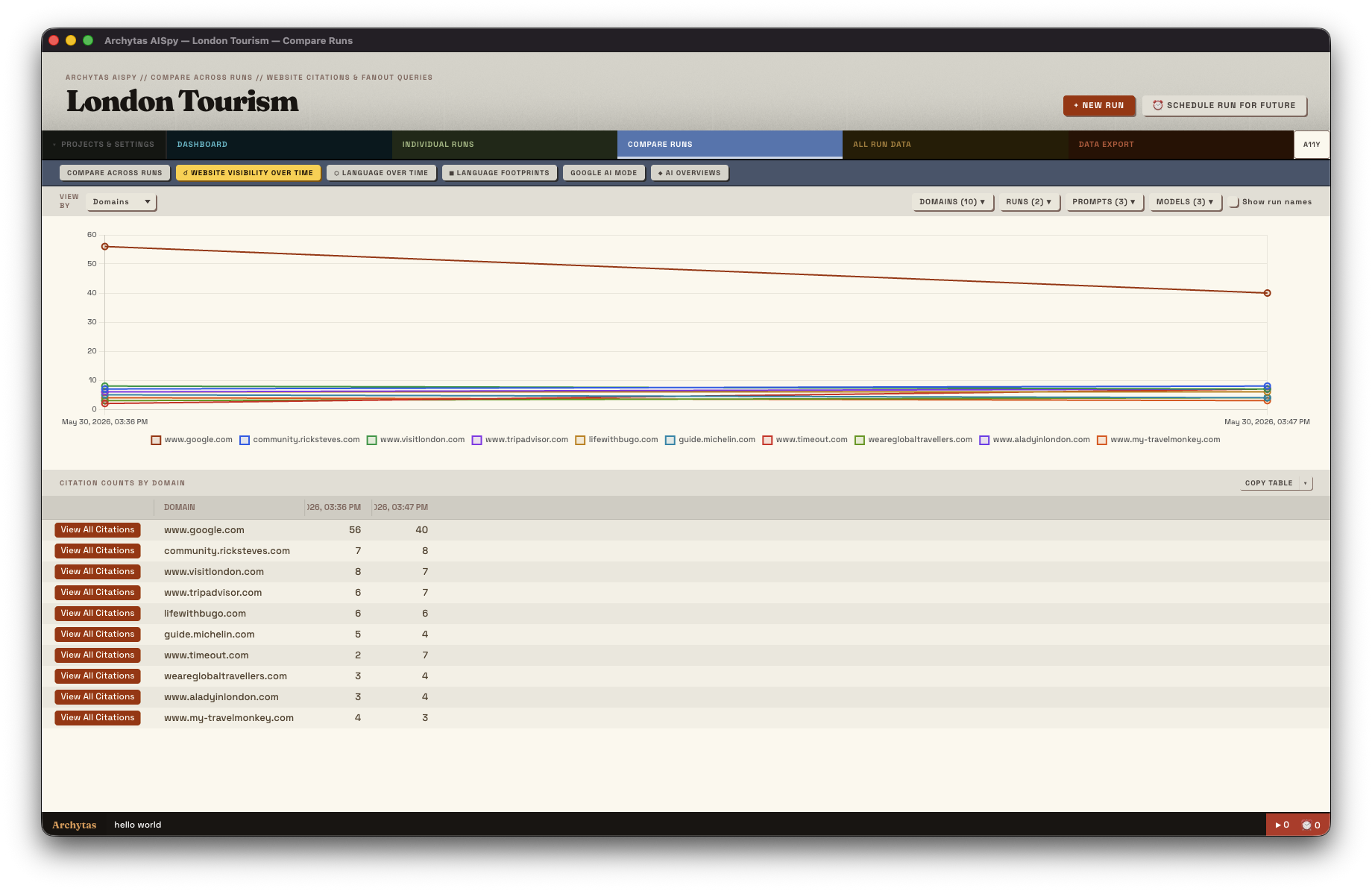
Scheduled runs automatically track where your domain ranks in AI citations. Watch the trends build over days, weeks, and months.

Citation Trends Dashboard

Citation Trends Dashboard

As scheduled runs accumulate, visualise how your AI visibility is trending up or down. Spot the moment an initiative moved the needle.

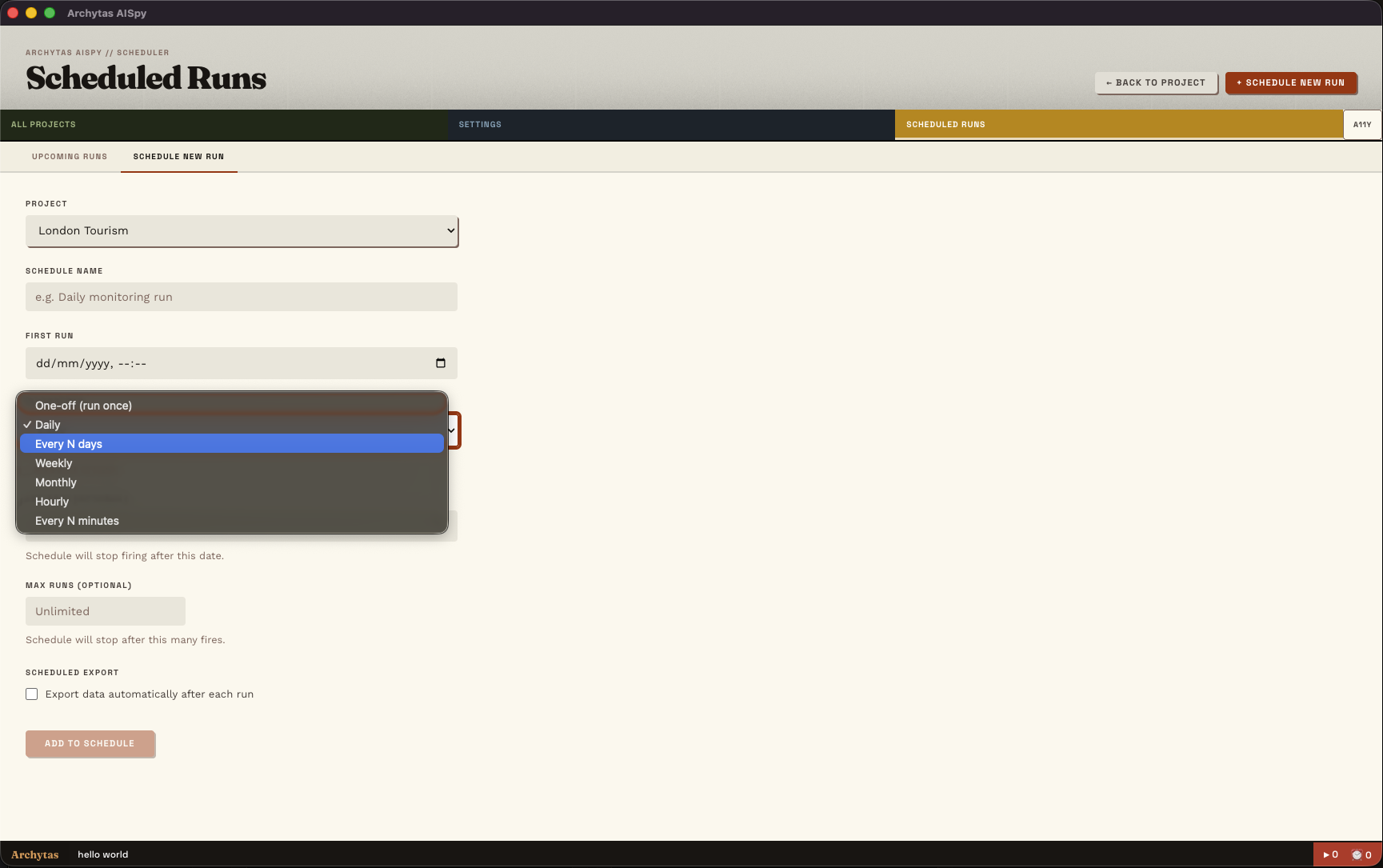
Schedule runs from every minute to every month.

Schedule runs from every minute to every month.

Need near-realtime data over a launch? Or in a slower moving industry where you need data for your monthly report? Schedule according to your need (and, of course, your token budget!)

Frequently Asked Questions

Can Archytas AISpy run scheduled tracking without me being logged in?

Yes, if it's installed on a server or a machine that stays running. On a desktop or laptop, scheduled jobs run while the application is open. We have a Linux version of Archytas AISpy specifically for those looking to run from a server or cloud environment.

What happens if a scheduled run fails - for example, if an API key hits its rate limit?

Archytas AISpy logs the failure and retries on the next scheduled run. You can review run history to see which jobs succeeded and which ones errored, and what the error was. It won't silently drop data without telling you.

Can I run Archytas AISpy on a cloud VM rather than a physical machine?

Yes - Archytas AISpy runs on Linux as well as Mac and Windows, which makes it straightforward to deploy on a standard cloud VM. We're afraid that AISpy is, right now, a GUI-only based application, there is no headless mode at present.

Is there a limit to how many AI prompts I can schedule and track?

No. Archytas AISpy doesn't impose any limits on the number of scheduled prompts. AISpy is a Bring-Your-Own-Key solution - the practical ceiling is the LLM's API rate limits, and your budget for running the queries. For teams tracking at scale, it's worth calculating the per-run API cost before scheduling hundreds of prompts at a daily cadence.

Do I need to keep my computer running for scheduled tracking to work?

Yes. AISpy is principally intended to be a locally run, GUI app. However, one of the main reasons we build Linux versions is so you can deploy to a server.

Can I schedule different prompts at different frequencies?

Yes. Frequencies are set at the project level, so you can, for example, have one project with a set of prompts running daily and another bigger set running monthly.

Download Archytas AISpy for free